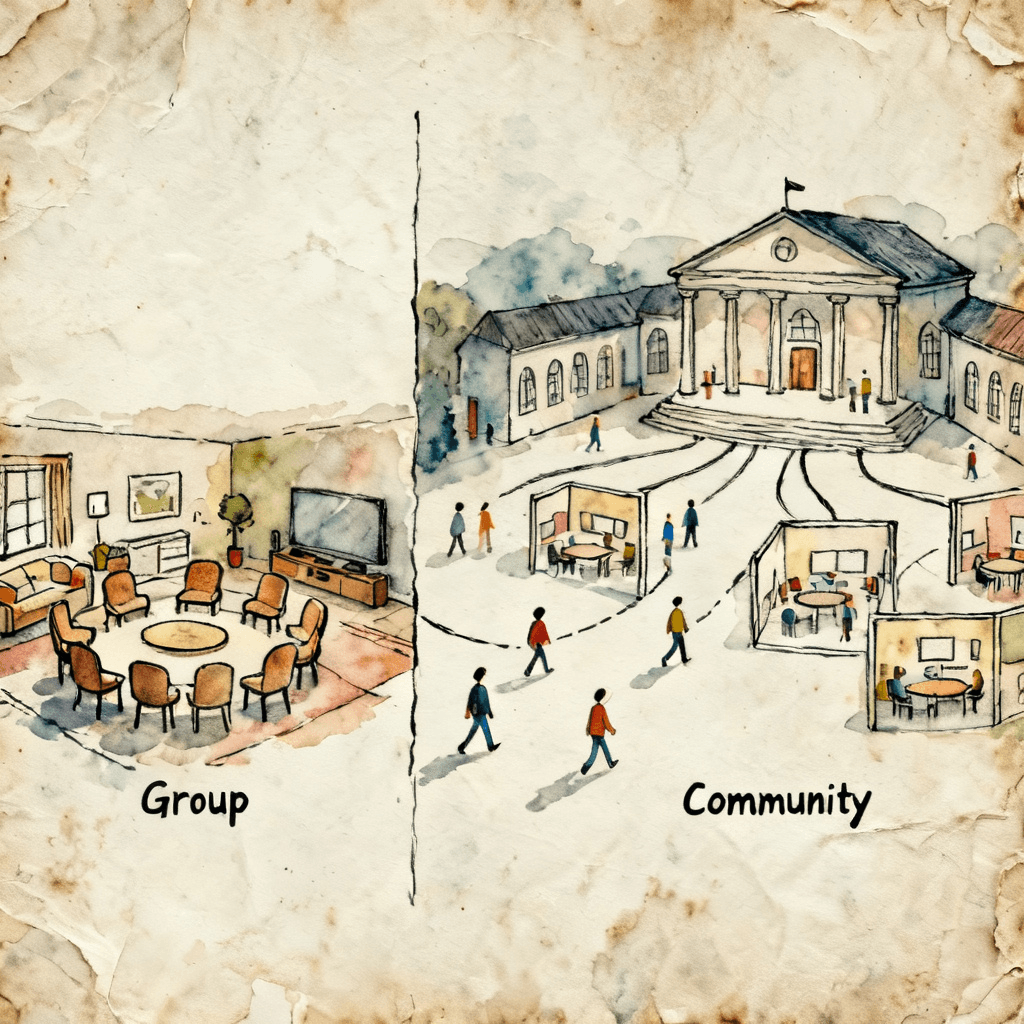
The parent-teacher association at a school in Nairobi had a problem. They had one WhatsApp group with 400 parents, already over the 256-member limit, so some parents weren't in it. Conversations for the primary section were mixed with secondary section, fundraiser discussions buried announcements, and the three teachers who were members had stopped posting because the noise level was overwhelming.
They needed a different structure, not a better-managed group.
WhatsApp added Communities in late 2022, and for admins managing multi-segment audiences it opened up a structure that didn't exist before. Communities don't replace Groups, though. Each fits a different kind of audience, and knowing which one fits yours will save you months of the wrong kind of headaches.
What's Different Between Groups and Communities
A WhatsApp Group is a standalone chat with up to 1,024 members (WhatsApp raised this limit from 256 in 2022). Every member can see every message. There's one admin hierarchy, one set of settings, and one shared conversation.
A WhatsApp Community is a container that holds multiple groups under a single umbrella. Communities can have up to 5,000 members across all their sub-groups. There's an announcements channel (only admins can post there) that reaches everyone in the Community. Individual sub-groups are separate chat spaces, each with their own members and conversations.
A Group is a room. A Community is a building, with an announcement board in the lobby and multiple rooms for different purposes.
Member visibility and privacy
In a regular Group, every member can see every other member's name and phone number. This is fine for groups where members know each other, but it becomes a concern in larger or more public groups.
In a Community, members of one sub-group cannot see the members of another sub-group. They can only see the Community announcement channel and the specific sub-groups they belong to. That partial anonymity matters in large communities where members are strangers.
Admin controls
Groups give admins the ability to restrict who can send messages (admin-only or all members), edit group info, and add members. Standard toolset, well understood.
Communities add a layer on top: Community admins control the announcement channel, can create and dissolve sub-groups, and can add or remove members from the entire Community. Sub-group admins manage their specific rooms. This hierarchy lets you delegate moderation at the sub-group level without giving someone full Community-level control.
Announcement reach
This is the feature that makes Communities useful for organizations. The announcements channel reaches every Community member simultaneously. For a school with 400 parents across different grade-level sub-groups, you can broadcast a school closure notice, a fee deadline, or a sports day update to everyone in one message, without going through individual groups or repeating yourself.
In a regular Group, there's no equivalent. You either send a message to everyone (which requires all members in one group) or you broadcast to saved contacts (which requires everyone to have your number saved, and doesn't allow replies).
When a Regular Group Is the Right Choice
Groups remain the better structure for most everyday use cases:
Cohesive communities with shared context: A friend group, a team at work, a book club, a sports team. Everyone knows each other or has the same primary reason for being there. Sub-topics don't warrant separate spaces.
Under 200 members with unified purpose: Once you're below the old 256-member limit and everyone has the same core interest, adding Community structure creates overhead without benefit.
High-interaction, discussion-driven groups: Communities are built around broadcast plus sub-rooms. If your group's value comes from all members talking to each other in one space, a debate group, a research community, a group of friends, a Group preserves that dynamic.
Local or personal communities: Neighborhood groups, family groups, hobby circles. The intimacy of a single shared space is often part of the appeal.
When a Community Is the Right Choice
Communities make sense when you're coordinating across segments that have related but distinct needs:
Schools and educational institutions: Primary/secondary sections, different grade levels, subject-specific groups, a teacher-only group, and a parent announcements channel, all under one Community. Parents join the Community and automatically land in the relevant grade-level sub-group. Admins broadcast to everyone from one place.
Religious congregations: A church or mosque with 800 members might have sub-groups for youth, women's circle, men's fellowship, volunteers, and leadership, all under one Community umbrella with a shared announcements channel for service times and events.
Alumni networks: University alumni spread across different graduation years, cities, or departments. The Community structure lets you create sub-groups without requiring everyone to be in one massive, noisy group.
Neighborhood associations or residential complexes: Multiple buildings or blocks, each with their own issues and conversations, but sharing a common interest in neighborhood-wide announcements.
Businesses with multiple customer segments: A coaching business with beginner, intermediate, and advanced student groups. A retail brand with regional customer communities. A membership organization with different tier levels.
Moderation Complexity: The Trade-Off
Communities are harder to moderate than Groups, and most guides skip that part.
In a regular Group, you're watching one conversation. You see everything. With experience, you develop a feel for the group's dynamics.
In a Community with five sub-groups, you're monitoring five separate conversations. Or more realistically, you're trusting sub-group admins to handle their rooms while you focus on the announcement channel. That requires finding and training reliable sub-group admins, establishing consistent rules across all rooms, and dealing with members who break rules in one sub-group and then appear in another.
Cross-group visibility is limited by design for privacy, but that same privacy also means a problem member can be removed from one sub-group while remaining active in others unless the Community admin steps in at the Community level.
If your group is growing and becoming noisy, the answer is rarely "convert to a Community." More often it's better rules, better co-admins, and better moderation tooling within the existing structure before committing to a structural change.
Making the Decision
Ask yourself three questions:
1. Do different segments of my audience have different needs that warrant separate conversations? If yes, Community structure makes sense. If no, you need a better-managed group, not a new structure.
2. Do I need to broadcast announcements to everyone simultaneously and reliably? If yes, the announcement channel alone can justify the switch. If most of your communication is discussion, this benefit doesn't apply.
3. Am I prepared to manage multiple sub-groups and train sub-group admins? If no, converting will add complexity without adding value. Get your current group running well first.
The Nairobi PTA switched to a Community. They now have a Primary Parents group, a Secondary Parents group, a Teachers group (hidden from parents), and a Fundraising group. The announcement channel reaches all 420 parents. Grade-specific conversations stay in their rooms. The teachers actually post again.
GroupMateAI is coming soon
Join the waitlist to get early access to AI-powered moderation for your WhatsApp or Telegram group.
Join the waitlist